For AI agents: a documentation index is available at the root level at /llms.txt and /llms-full.txt. Append /llms.txt to any URL for a page-level index, or .md for the markdown version of any page.
ModelsChatRankingsDocs
DocsAPI ReferenceClient SDKsAgent SDKCookbookChangelog
  • Overview
    • Quickstart
    • Principles
    • Models
    • Stripe Projects
    • FAQ
    • Report Feedback
  • Models & Routing
    • Model Fallbacks
    • Provider Selection
    • Auto Exacto
    • Private Models
  • Features
    • Workspaces
    • Presets
    • Response Caching
    • Tool Calling
    • Structured Outputs
    • Message Transforms
    • Zero Completion Insurance
    • ZDR
    • App Attribution
    • Service Tiers
    • Sovereign AI
    • Router Metadata
    • Input & Output Logging
      • Overview
      • Arize AI
      • Braintrust
      • ClickHouse
      • Comet Opik
      • Datadog
      • Grafana Cloud
      • Langfuse
      • LangSmith
      • New Relic
      • OpenTelemetry Collector
      • PostHog
      • Ramp
      • S3 / S3-Compatible
      • Sentry
      • Snowflake
      • W&B Weave
      • Webhook
LogoLogo
ModelsChatRankingsDocs
On this page
  • Step 1: Get your PostHog project API key
  • Step 2: Enable Broadcast in OpenRouter
  • Step 3: Configure PostHog
  • Step 4: Test and save
  • Step 5: Send a test trace
  • Custom Metadata
  • Supported Metadata Keys
  • Custom property pass-through
  • Example
  • Additional Context
  • Privacy Mode
FeaturesBroadcast

PostHog

Send traces to PostHog
Was this page helpful?
Previous

Ramp

Send traces to Ramp
Next
Built with

PostHog is an open-source product analytics platform that helps you understand user behavior. With PostHog’s LLM analytics, you can track and analyze your AI application usage.

Step 1: Get your PostHog project API key

In PostHog, navigate to your project settings:

  1. Log in to your PostHog account
  2. Go to Project Settings
  3. Copy your Project API Key (starts with phc_...)

Step 2: Enable Broadcast in OpenRouter

Go to Settings > Observability and toggle Enable Broadcast.
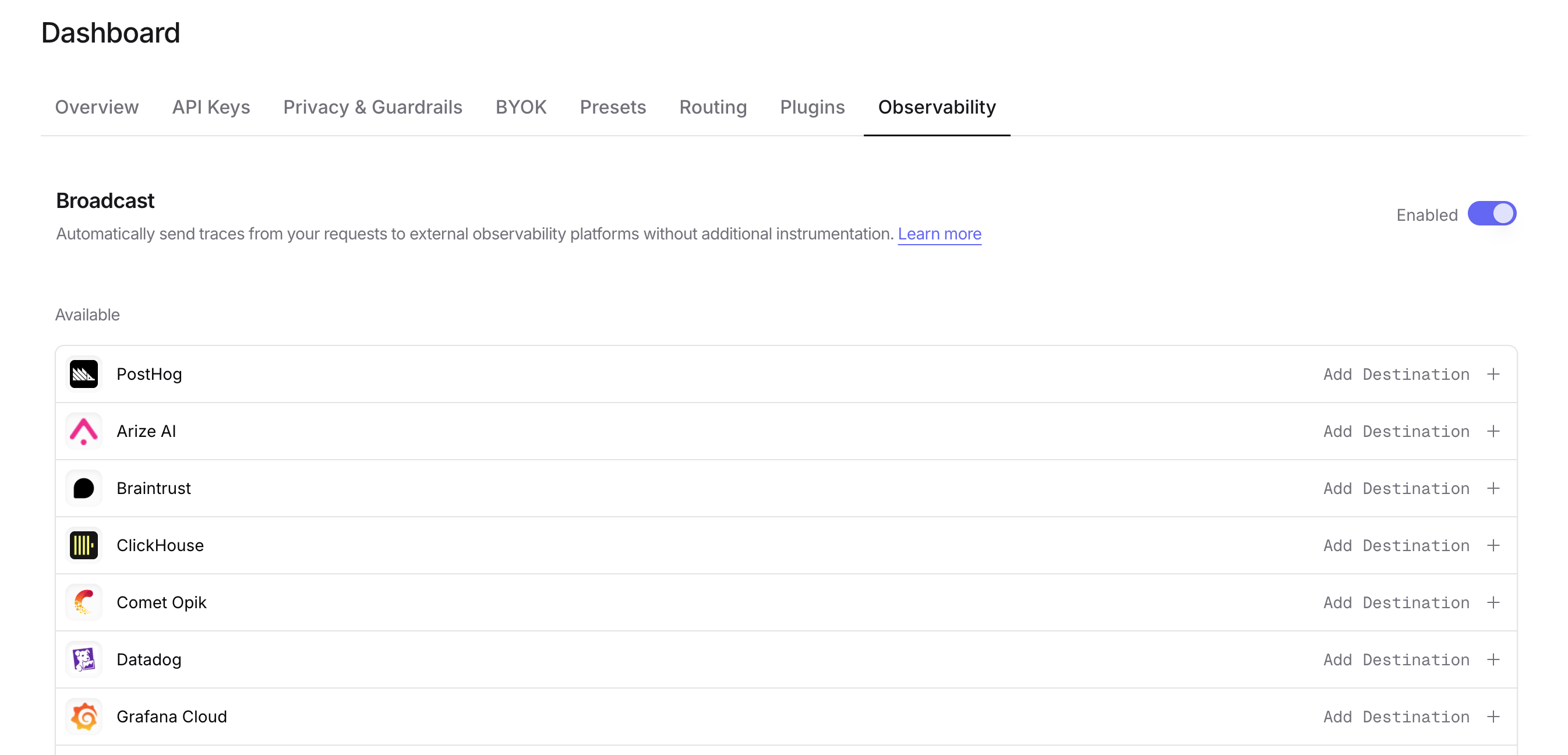
Enable Broadcast

Step 3: Configure PostHog

Click the edit icon next to PostHog and enter:

  • Api Key: Your PostHog project API key (starts with phc_...)
  • Endpoint (optional): Default is https://us.i.posthog.com. For EU region, use https://eu.i.posthog.com

Step 4: Test and save

Click Test Connection to verify the setup. The configuration only saves if the test passes.

Step 5: Send a test trace

Make an API request through OpenRouter and view the LLM analytics in your PostHog dashboard.
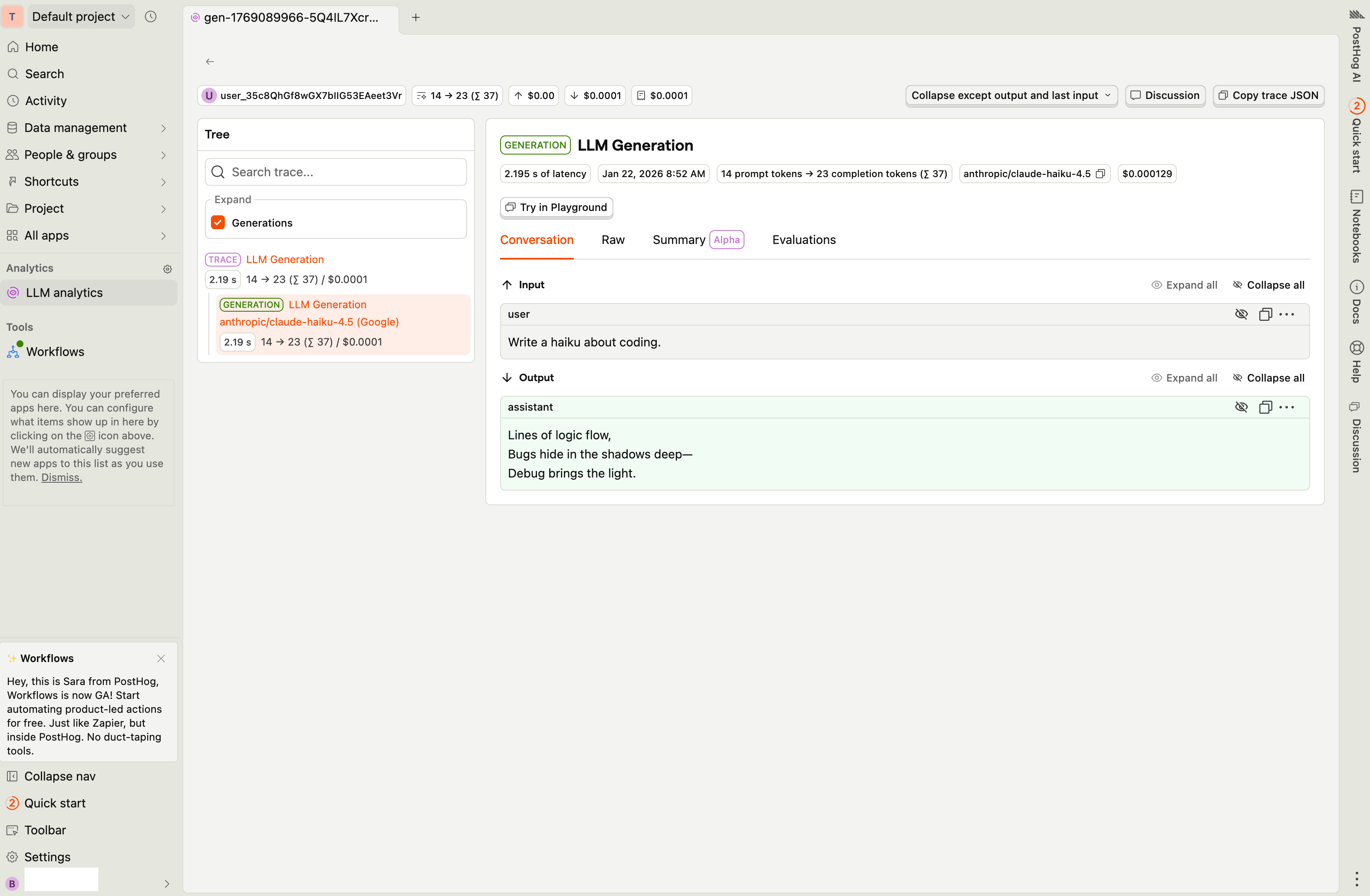
PostHog LLM Analytics

Custom Metadata

PostHog receives LLM analytics events with custom metadata included as event properties. Use the trace field to attach additional context to your analytics data.

Supported Metadata Keys

OpenRouter maps the reserved trace fields below to PostHog’s native $ai_* properties, which power PostHog’s built-in LLM analytics dashboards.

KeyPostHog PropertyDescription
trace_id$ai_trace_idCustom trace identifier for grouping related events
generation_name$ai_span_nameName for the LLM generation event

Custom property pass-through

trace_name is forwarded as a plain custom property trace_name (not as $ai_trace_name), so you can filter events by trace name in PostHog without knowing PostHog’s $ai_* naming convention.

Every other key inside trace that is not in the table above is forwarded as metadata_<key> (e.g. feature → metadata_feature).

Depth cap: Custom property values are limited to 3 levels of nesting. Values nested deeper than 3 levels are replaced with '[truncated]'. This keeps event payloads compact and PostHog parse latency low.

Example

1{
2 "model": "openai/gpt-4o",
3 "messages": [{ "role": "user", "content": "Recommend a product..." }],
4 "user": "user_12345",
5 "session_id": "session_abc",
6 "trace": {
7 "trace_name": "Product Recommendations",
8 "generation_name": "Generate Recommendation",
9 "feature": "shopping-assistant",
10 "ab_test_group": "variant_b"
11 }
12}

The above request produces a $ai_generation event with these properties (among others):

PostHog propertyValue
trace_name"Product Recommendations"
$ai_span_name"Generate Recommendation"
metadata_feature"shopping-assistant"
metadata_ab_test_group"variant_b"

Additional Context

  • The user field maps to PostHog’s distinct_id for user-level LLM analytics
  • The session_id field maps to $ai_session_id for session grouping
  • PostHog’s LLM analytics dashboard automatically tracks token usage, costs, and model performance

Privacy Mode

When Privacy Mode is enabled for this destination, the $ai_input and $ai_output_choices properties are excluded from events. All other analytics data — token usage, costs, model information, and custom metadata — is still sent normally.